10 Best Free AI Website Builders in 2026 | Compared & Reviewed
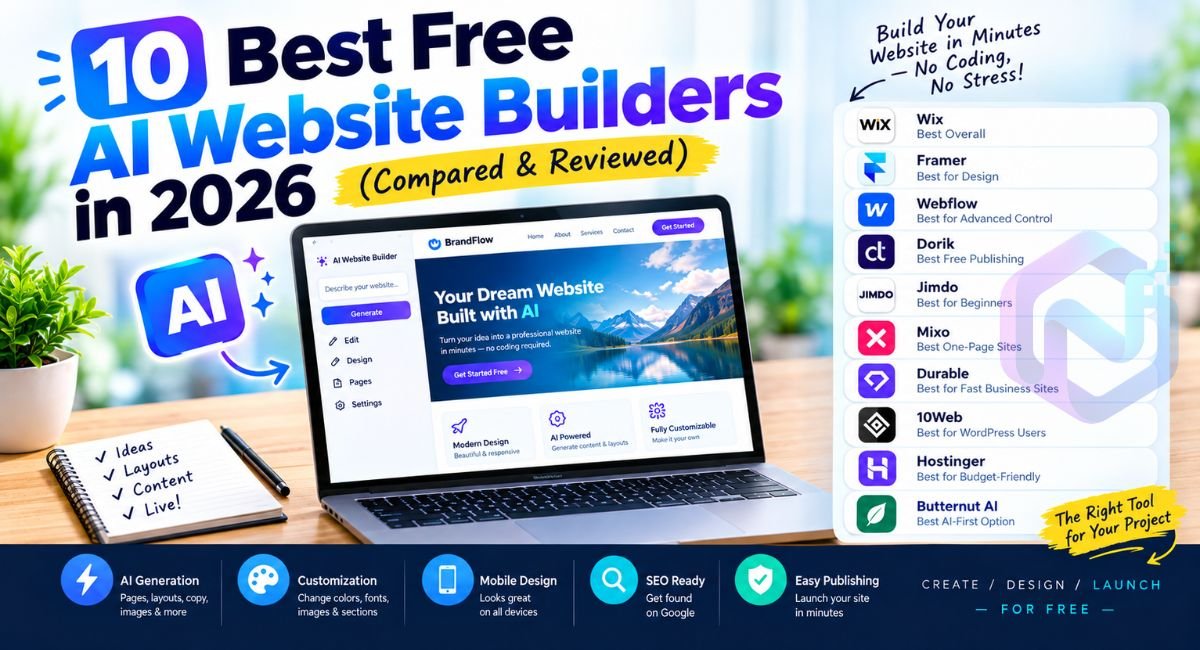
Building a website no longer requires a developer, designer, or weekend spent wrestling with code. Today, a Free AI Website Builder can turn a short description into pages, layouts, copy, images, and calls-to-action within minutes. That sounds almost too easy, right?
However, “free” can mean very different things. Some platforms let you publish a real website at no cost, while others only let you generate a draft before asking you to upgrade. Therefore, this guide separates genuinely useful free options from platforms that merely offer a free trial.
What Is a Free AI Website Builder?
A Free AI Website Builder uses artificial intelligence to simplify the entire website creation process. Instead of starting with a blank canvas, you describe your business, audience, style, and goals. The platform then creates an initial website structure that you can edit.
Modern builders can generate navigation, sections, headlines, calls-to-action, images, and draft copy. Some also provide AI agents that continue making changes after the first generation. Wix, for example, lets users move between AI generation and drag-and-drop editing.
The important distinction is control. AI should give you a head start rather than lock you into its first idea. The strongest platforms let you customize your website after AI generation by changing text, layouts, colors, fonts, images, and sections.
10 Best Free AI Website Builders in 2026
The following options cover different needs rather than pretending one platform fits everyone. Some offer genuine free publishing, while others provide free generation or trials. That difference matters if your goal is to launch a website without spending money.
1. Wix — Best Overall Free AI Website Builder
Wix is the strongest all-round choice because its AI builder combines conversational generation with a mature website editor. You describe your idea, and Wix creates a personalized starting point that you can refine manually or through its Aria AI agent. Wix also provides hosting, SEO tools, templates, and business functionality.
For a beginner, this combination removes much of the friction normally associated with AI website builder without coding workflows. The free option lets you start without a credit card, although professional features such as connecting your own domain require an upgrade.
2. Framer — Best for Design-Focused Websites
Framer stands out when visual polish matters. Its AI tools can generate editable pages, sections, copy, and visual direction from a prompt. You then refine everything directly on the canvas, which makes it particularly attractive for portfolios, startups, creative professionals, and modern landing pages.
The free plan includes managed hosting, up to 1,000 pages, ten CMS collections, and limited file uploads. However, connecting a custom domain requires a paid plan.
3. Webflow — Best for Advanced Design Control
Webflow is better suited to users who want more control after AI creates the initial website. Its AI site builder can generate a multi-page structure, content, and theme from a description. You can then continue refining the design inside Webflow’s visual environment.
There is an important catch. The free Starter plan uses a Webflow.io domain and limits published sites to two static pages. That makes Webflow excellent for experimentation and learning, but less attractive if you need a sizeable free business website.
4. Dorik — Best for Free Website Publishing
Dorik deserves attention because its free plan offers unusually generous traditional website-building features. Current documentation lists unlimited sites, custom domains, pages, forms, payment buttons, and blog functionality on the free plan. However, its AI features are more restricted than its general builder.
That distinction makes Dorik interesting for people who want a free AI website creator but also care about long-term free publishing. Its current documentation lists limited AI site generation on the free plan, while AI text and image generation require higher plans.
5. Jimdo — Best AI Website Builder for Beginners
Jimdo focuses heavily on simplicity. Its free website option provides hosting, responsive design, contact forms, SSL, and a no-code editing experience. The platform is particularly suitable when you want a straightforward website without learning complicated design software.
For a local freelancer, personal service, or small project, that simplicity can be more valuable than dozens of advanced controls. Jimdo also allows users to start free and upgrade later, which gives beginners room to learn before committing financially.
How We Compared the Best Free AI Website Builders
A useful comparison needs more than a list of famous names. We looked at each platform’s current AI capabilities, free access, editing experience, publishing restrictions, SEO tools, mobile support, and upgrade requirements. We also checked official documentation wherever possible.
| Builder | Best For | Free Access | AI Generation | Coding Needed |
|---|---|---|---|---|
| Wix | Overall websites | Yes | Yes | No |
| Framer | Design-focused sites | Yes | Yes | No |
| Webflow | Advanced design | Yes | Yes | No |
| Dorik | Free publishing | Yes | Limited | No |
| Jimdo | Beginners | Yes | Yes | No |
| Mixo | One-page sites | Yes | Yes | No |
| Durable | Fast business sites | Free building | Yes | No |
| 10Web | WordPress users | Trial | Yes | No |
| Hostinger | Fast AI building | Trial | Yes | No |
| Butternut AI | AI-first business sites | Free drafting | Yes | No |
The biggest consideration was what “free” actually provides. For example, Mixo currently allows users to create, edit, and publish a one-page site free with hosting and SSL, although the free version uses a Mixo subdomain and branding.
6. Mixo — Best for Simple One-Page Websites
Mixo takes a remarkably direct approach. You describe what you are building, and its AI generates a simple website designed around that idea. The free plan currently lets you create, edit, and publish one-page websites with hosting and SSL included.
This makes Mixo especially useful for validating an idea, promoting an event, collecting early interest, or launching a basic landing page. The trade-off is equally clear: free sites use a Mixo subdomain and branding, while custom domains and additional pages require an upgrade.
7. Durable — Best for Fast Business Website Creation
Durable focuses on speed and business-oriented website generation. It is designed around the idea that you can describe your business and quickly receive a working starting point. That approach makes it appealing when your priority is to generate a website in minutes rather than spend hours choosing templates.
The platform is particularly interesting for solo operators and service businesses. However, you should distinguish between free website creation and permanent free publishing before choosing it. Its current market positioning includes free building access while paid plans unlock ongoing capabilities, so check the latest offer before committing.
8. 10Web — Best Free AI Website Generator for WordPress
10Web takes a different route by combining AI generation with WordPress. You can generate a website, then customize it through AI Co-Pilot or a drag-and-drop editor. The company states that generated websites remain fully customizable and that no coding is required for those editing methods.
Its free access is best understood as a way to generate and try the platform rather than a permanently free hosting solution. 10Web currently offers a one-week free trial with broader access, while paid plans begin afterward.
9. Hostinger — Best for Budget-Friendly AI Website Building
Hostinger is a strong choice if you want AI generation combined with conventional website hosting. Its current AI Builder offers a free seven-day trial, allowing users to generate and preview a website before purchasing. During the trial, websites cannot be published, which is an important limitation.
The workflow is beginner-friendly because you can describe your website or business and let AI produce the initial result. Hostinger also provides manual editing, while its agentic mode lets you refine the site through conversational instructions.
10. Butternut AI — Best AI-First Option for Business Websites
Butternut AI focuses heavily on prompt-driven website creation. Its platform can generate a business website from a description and supports visual editing afterward. The service also emphasizes responsive design, automated SEO, hosting, and AI-generated content as part of its broader website platform.
There is a useful caveat for free users. Butternut allows users to generate and edit draft websites before upgrading, while its paid Starter plan provides hosting, a custom domain, automated SEO, responsive design, and other publishing features.
Best Free AI Website Builders Compared
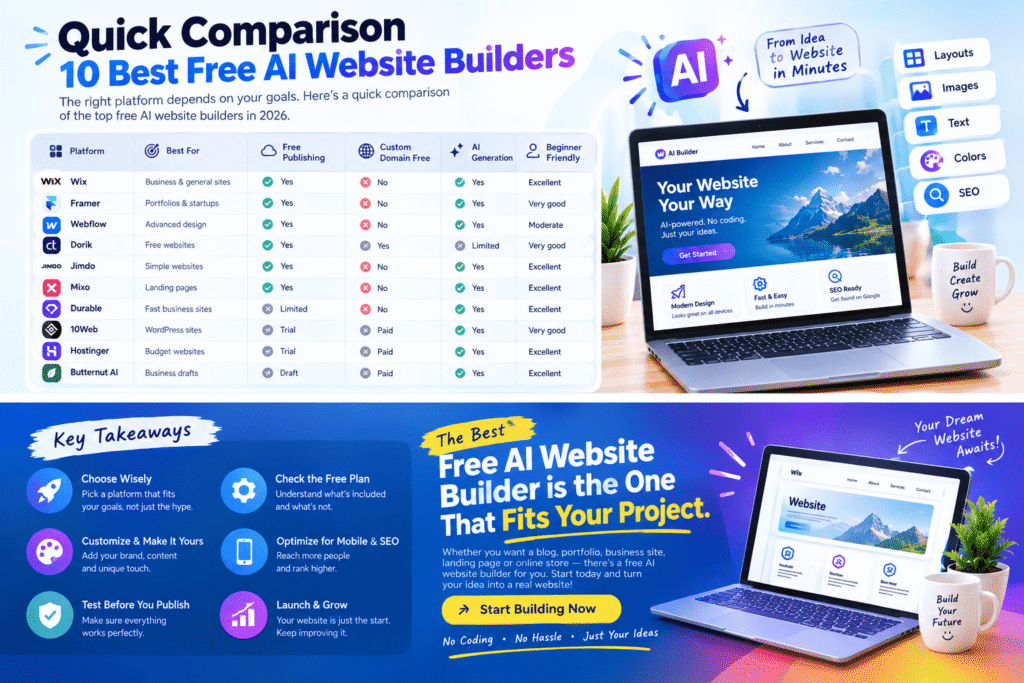
A quick comparison reveals why there is no universal winner. Wix offers the strongest combination of AI, editing, and business features, while Framer excels visually. Mixo is excellent for a simple free published page, and Dorik is compelling when free publishing matters more than unlimited AI generation.
| Platform | Best Use | Free Publishing | Custom Domain Free | AI Generation | Beginner Friendly |
|---|---|---|---|---|---|
| Wix | Business and general sites | Yes | No | Yes | Excellent |
| Framer | Portfolios and startups | Yes | No | Yes | Very good |
| Webflow | Advanced design | Yes | No | Yes | Moderate |
| Dorik | Free websites | Yes | Yes | Limited | Very good |
| Jimdo | Simple websites | Yes | No | Yes | Excellent |
| Mixo | Landing pages | Yes | No | Yes | Excellent |
| Durable | Fast business sites | Limited | No | Yes | Excellent |
| 10Web | WordPress sites | Trial | Paid | Yes | Very good |
| Hostinger | Budget websites | Trial | Paid | Yes | Excellent |
| Butternut AI | Business drafts | Draft | Paid | Yes | Excellent |
Which Is the Best Free AI Website Builder?
If you want one recommendation for the widest range of American users, Wix is the strongest overall choice. Its AI workflow is straightforward, its editor provides substantial control, and its ecosystem covers websites, blogs, marketing, bookings, and ecommerce. Wix also explicitly supports starting with AI for free.
However, your project changes the answer. Framer makes more sense for a design-led portfolio, Mixo works beautifully for a simple landing page, Dorik is attractive when free publishing is crucial, and 10Web deserves consideration if WordPress compatibility sits at the center of your plan.
How to Create a Website With AI for Free
Creating a website with AI is surprisingly straightforward when you provide enough context. Instead of writing “make me a website,” give the builder a miniature creative brief containing your business type, location, audience, services, preferred style, pages, and desired action.
1. Choose the Right AI Website Builder
Start with your actual goal rather than the platform’s popularity. A restaurant needs menus and location information, while a freelancer needs services, testimonials, a portfolio, and contact options. This simple distinction helps you choose the right website builder before wasting time rebuilding the same site elsewhere.
2. Describe Your Website Clearly
A detailed prompt usually produces a more useful first draft. For example, you could write: “Create a modern website for an Austin landscaping company serving homeowners. Include Home, Services, About, Reviews, Gallery, and Contact pages. Use a clean natural style with strong calls-to-action.”
That information gives the AI enough context to generate a personalized website instead of producing a generic collection of sections. Think of your prompt as a blueprint rather than a magic spell.
3. Let AI Generate Your Website
Now comes the fun part. The platform interprets your description and begins the AI-powered website design process. Depending on the builder, it may create the page structure, navigation, text, images, colors, fonts, and calls-to-action.
Wix describes this process as moving from a prompt toward a business-ready website, while Framer similarly turns prompts into editable structures, sections, and content.
4. Customize Your Website After AI Generation
Never publish the first AI draft without reviewing it. AI can create a polished-looking page while still getting your business details, tone, services, or claims wrong. Replace generic text with your actual information and make the design feel like your brand.
You should customize layouts, colors, and fonts, replace stock imagery when necessary, improve calls-to-action, and check every heading. Think of AI as your first designer rather than your final editor.
5. Make the Website Mobile-Friendly
A beautiful desktop website can still become awkward on a phone. Since many American customers browse local businesses from mobile devices, responsive design deserves serious attention.
Preview every important page at mobile width. Check whether buttons remain easy to tap, headings wrap naturally, images load correctly, navigation remains usable, and forms fit the screen. A good AI-powered website builder should help with responsive layouts, but you still need to inspect the final result.
6. Optimize the Website for SEO
AI can accelerate SEO preparation, but it cannot replace strategic thinking. Each important page should target a clear search intent and provide useful information instead of repeating keywords mechanically.
Use descriptive titles, compelling meta descriptions, logical headings, readable URLs, internal links, useful image alt text, and genuinely helpful copy. The goal is to create SEO-friendly web pages that satisfy visitors first.
7. Publish and Launch Your Website
Before publishing, test every button, form, navigation link, image, and contact method. Read the pages as though you were a customer discovering the business for the first time.
Once everything works, publish the site and monitor how visitors interact with it. The smartest approach is not simply to launch your website quickly. It is to launch quickly enough while still giving the important details a human review.
What Can You Build With a Free AI Website Builder?
The possibilities extend far beyond basic homepages. You can use AI to create websites for local services, freelancers, consultants, restaurants, portfolios, events, personal brands, startup ideas, and simple product launches. The technology works especially well for projects where the primary goal is presenting information clearly.
For example, imagine a freelance photographer in Chicago. Instead of spending several evenings designing every section, they could ask AI to create a portfolio with galleries, an About page, service packages, testimonials, and a contact form. Afterward, they could replace generated images and copy with their own material.
The same principle applies to a small plumbing company in Phoenix. AI can establish the structure quickly, while the owner supplies real service areas, pricing information, reviews, credentials, photographs, and contact details. That combination creates a more credible result than AI content alone.
Looking for more powerful AI tools? Explore our complete guide to the best free AI tools you can use in 2026.
20+ Best Free AI Tools in 2026: The Ultimate Guide →Free AI Website Builder vs Traditional Website Builder
The fundamental difference is where the initial creative work happens. A traditional builder usually asks you to select a template and construct the website yourself. An AI builder starts by interpreting your description and proposing a complete direction.
| Factor | AI Website Builder | Traditional Builder |
|---|---|---|
| Initial design | AI-generated | Usually manual |
| Content drafting | AI-assisted | Mostly manual |
| Layout creation | Automated | Manual |
| Coding | Usually unnecessary | Usually unnecessary |
| Setup speed | Very fast | Moderate |
| Creative control | Varies | Often extensive |
| Beginner learning curve | Low | Low to moderate |
| Personalization | Prompt-driven | Template-driven |
Neither approach automatically produces a better website. AI simply moves the starting line closer to the finish line. You still need judgment, brand knowledge, accurate information, and human editing.
Are Free AI Website Builders Really Free?
Here is where many comparisons become misleading. A free AI website builder may provide free generation without offering free long-term publishing. Another platform may provide permanent hosting but place its branding on your pages. A third might give you a free subdomain while charging for your own .com address.
Mixo is a clear example of the first distinction worth checking. Its free plan supports publishing with hosting and SSL, but the website remains one page on a Mixo subdomain with branding.
Therefore, never judge a platform only by the word “free.” Check the publishing conditions, domain rules, AI limits, storage, page limits, branding, SEO controls, and upgrade requirements before building your entire project.
Can You Build a Professional Website Without Coding?
Yes. Modern no-code platforms can handle much of the technical foundation for standard websites. You can create pages, arrange sections, modify styles, generate copy, add forms, and publish without touching HTML or CSS.
However, professional quality does not come automatically from AI. A generated website may look impressive while containing bland copy or inaccurate information. Your job is to supply the expertise, personality, proof, and details that AI cannot reliably invent.
That is why the best AI website builder for beginners is not necessarily the platform with the most AI features. It is the one that gives you enough automation while keeping editing understandable.
How to Choose the Right AI Website Builder
Choosing a platform becomes much easier when you work backward from your requirements. First decide whether you need a portfolio, business website, blog, landing page, ecommerce store, or another type of project. Then compare the free plan against those requirements.
The most important questions involve publishing, domains, customization, SEO, mobile responsiveness, AI limits, integrations, and migration. A free plan that cannot support your final website may save money today while costing you hours tomorrow.
For example, if you only need a one-page launch page, Mixo can be highly practical. If you need broad business functionality, Wix is more versatile. If design control matters most, Framer or Webflow may deserve closer attention.
Frequently Ask Questions
What is the best free AI website builder in 2026?
Wix is one of the strongest overall options for beginners and small businesses. It combines AI website generation with a flexible editor, hosting, SEO tools, templates, and business features. However, the best choice depends on your specific website needs and how much free functionality you require.
Can I create a website with AI for free?
Yes. Several AI website builders allow you to create a website for free. However, free plans often have restrictions such as branded subdomains, limited pages, platform branding, AI credits, or unavailable custom domains. Check the free-plan limitations before choosing a platform.
Is there a completely free AI website generator?
Yes, some platforms offer free AI website generation and publishing. Mixo is one example that allows users to create and publish a simple one-page website on its free plan. Other platforms may provide free generation but require payment for long-term hosting or advanced features.
Can AI build a website without coding?
Yes. Modern AI website builders can generate layouts, content, sections, navigation, and other website elements without requiring HTML, CSS, or JavaScript knowledge. You can usually customize the generated website using a visual editor or natural-language instructions.
Can I use a custom domain with a free AI website builder?
It depends on the platform. Most free plans provide a branded subdomain instead of allowing a custom domain. Connecting a domain such as yourbusiness.com commonly requires a paid plan. Always check the platform’s current domain policy before building your website.
Are AI-generated websites good for SEO?
AI-generated websites can provide a strong starting point for SEO, but AI alone does not guarantee search rankings. You should optimize page titles, headings, meta descriptions, content, internal links, images, URLs, mobile performance, and search intent before publishing.
Can AI create a mobile-friendly website?
Yes. Many modern AI website builders automatically create responsive layouts that adapt to smartphones, tablets, and desktop screens. You should still preview the website on mobile and check navigation, buttons, images, forms, and text before publishing.
Can I customize an AI-generated website?
Yes. Most modern AI website builders allow you to customize the generated website. You can usually change text, images, colors, fonts, layouts, sections, navigation, and calls-to-action. Customization is important because AI-generated content should always be reviewed and adjusted to match your brand.


0 Comments