20+ Best Free AI Tools in 2026 | The Ultimate Guide
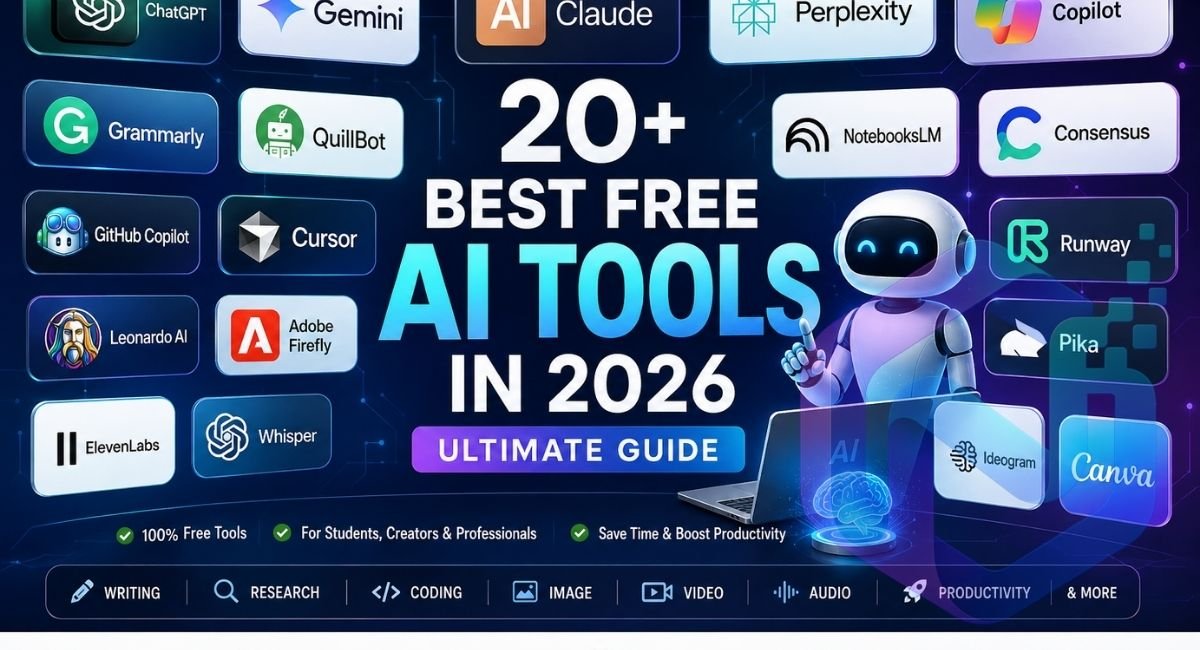
Looking for the best free AI tools in 2026? We tested and compared 20+ free AI tools for writing, research, productivity, images, video, automation and everyday tasks. This guide explains what each tool does, who it is best for, and which free options are worth trying.
The challenge is finding free AI tools that are actually useful. Many platforms advertise free access but place important features behind subscriptions, restrict usage with credits, add watermarks, or limit commercial use.
This guide compares the 20+ best free AI tools in 2026 across writing, research, coding, image generation, video, productivity, audio, and education. The goal is not simply to give you a long list. Instead, we will explain what each tool does, who should use it, what its free version offers, and where its limitations matter.
Whether you are looking for the best free AI tools for students, a coding assistant, an AI image generator, or a productivity tool, you should find a practical option here.
What Are Free AI Tools and How Do They Work?
Free AI tools are applications that use artificial intelligence to perform tasks such as generating text, analyzing information, writing code, creating images, producing videos, translating languages, or processing audio.
Most free AI tools in 2026 use a freemium model. This means you can use a basic version without paying, while advanced models, higher limits, faster processing, or commercial features may require a subscription.
The important distinction is that free does not always mean unlimited. A writing assistant might allow a certain number of requests, while an AI image generator may provide a limited number of credits. Video-generation platforms usually have even stricter limits because generating video requires considerably more computing power.
For this reason, choosing the right free AI tools depends on what you actually need to accomplish rather than simply choosing the tool with the biggest feature list.
20+ Best Free AI Tools in 2026
Looking for the best free AI tools in 2026? We’ve compiled 20+ useful AI tools for writing, research, productivity, image creation, video, automation, and everyday tasks. This guide compares what each tool does, its free features, limitations, and who it is best suited for.
Best Free AI Tools at a Glance
The following table provides a quick comparison of some of the strongest best free AI tools 2026 users can consider.
| AI Tool | Best For | Free Access |
|---|---|---|
| ChatGPT | Writing, research, brainstorming | Limited free access |
| Google Gemini | Research and productivity | Free tier |
| Claude | Writing and coding | Free tier |
| Perplexity | AI-powered research | Free tier |
| Microsoft Copilot | Everyday productivity | Free access |
| Grammarly | Grammar and writing | Free tier |
| QuillBot | Rewriting and summarizing | Free tier |
| Google Translate | Translation | Free |
| DeepL | High-quality translation | Free tier |
| GitHub Copilot | Coding assistance | Limited free access |
| Cursor | AI-assisted coding | Limited free access |
| Google Antigravity | Agentic coding | Free preview/access varies |
| Leonardo AI | AI images | Free credits |
| Adobe Firefly | Image generation | Free credits |
| Ideogram | Images with text | Free tier |
| Canva AI | Design and content creation | Free features |
| Runway | AI video | Free credits |
| Pika | AI video effects | Free tier |
| NotebookLM | Research and studying | Free tier |
| Consensus | Academic research | Free searches |
| ElevenLabs | AI voice generation | Free tier |
| Whisper | Audio transcription | Free/open-source |
| Adobe Podcast | Audio enhancement | Free tier |
The exact limits of free plans can change frequently, so users should always check the tool’s current terms before depending on a particular quota.
Best Free AI Tools for Writing and Everyday Tasks
ChatGPT
ChatGPT remains one of the most versatile free AI tools for everyday users. It can help with writing, brainstorming, summarizing, explaining difficult concepts, generating ideas, analyzing information, and assisting with programming.
Best for: Writing, research, brainstorming and everyday tasks
Free plan: Yes
Category: AI assistant
For example, a student can use it to understand a difficult programming concept, while a freelancer can use it to create a first draft of a client email. A content creator can use it to brainstorm article ideas and develop a content structure.
AI writing tools can help streamline content creation, from generating ideas and outlines to creating complete first drafts. You can also try our free AI article generator to create structured, SEO-focused article drafts based on your topic, keywords, audience, and search intent.
The important point is that ChatGPT works best when you treat it as an assistant rather than an unquestionable source of truth. AI-generated information should still be checked when accuracy matters.
Google Gemini
Google Gemini is particularly useful for people who already use Google’s ecosystem. Depending on the available plan and region, Gemini can assist with writing, research, brainstorming, image creation, and productivity tasks.
Its connection with Google’s ecosystem makes it especially interesting for users working with documents, spreadsheets, and other Google services.
Claude
Claude is another excellent option for people who want help with long-form writing, reasoning, editing, and coding.
One of its biggest strengths is producing natural-sounding writing. Instead of simply generating paragraphs, you can give Claude an existing article and ask it to improve clarity, organization, or tone while preserving your original meaning.
For writers and developers, Claude can therefore function as an AI editor, brainstorming partner, and coding assistant.
Getting high-quality results from AI tools often depends on the quality of your prompts. Try our free AI prompt generator to turn simple ideas into structured, ready-to-use prompts for platforms like ChatGPT, Claude, Gemini, and other AI tools.
Microsoft Copilot
Microsoft Copilot is worth considering for users who want an AI assistant integrated into Microsoft’s ecosystem.
It can help with everyday questions, writing, summarization, brainstorming, and productivity tasks. Its biggest advantage is convenience for people already using Microsoft products.
Best Free AI Tools for Students
Students are among the biggest beneficiaries of free AI tools 2026 because many AI applications can reduce the time required for research, revision, writing, and organization.
NotebookLM
NotebookLM is particularly useful for studying from your own material. Instead of simply asking a general chatbot about a subject, you can provide source material and use AI to explore those documents.
For example, imagine you have a 100-page course document. Rather than reading every page repeatedly to find important concepts, you can use NotebookLM to ask questions about the material, identify important ideas, and create study resources.
This makes it one of the best free AI tools for students who need to work with textbooks, lecture notes, research papers, and other study materials.
Perplexity
Perplexity is an AI-powered search and research platform that combines conversational answers with web sources.
Instead of opening multiple search results and manually comparing them, you can ask a question and receive a summarized response with references.
A student researching climate change, for example, can use Perplexity to identify important sources before reading the original research in detail.
However, citations should always be opened and checked. AI search tools can occasionally misunderstand or incorrectly summarize a source.
Grammarly
Grammarly can help students improve grammar, spelling, clarity, and writing style.
It is particularly useful when English is not your first language. Instead of rewriting an entire assignment, you can use it to identify awkward sentences and improve readability while keeping your own ideas.
That makes it more useful as a writing assistant than as a replacement for original thinking.
QuillBot
QuillBot is designed primarily for rewriting, paraphrasing, and summarizing.
A student can use it to understand how a sentence might be expressed more clearly. However, academic work should always follow the institution’s rules regarding AI and paraphrasing.
AI tools should support learning rather than help students submit work they did not understand or create.
Best Free AI Coding Tools in 2026
AI coding tools have changed software development considerably. Instead of searching through documentation for every small problem, developers can now ask AI to explain errors, generate code, refactor functions, and suggest solutions.
GitHub Copilot
GitHub Copilot is one of the most recognizable AI coding assistants. It works inside popular development environments and can suggest code while you type.
For beginners, the biggest advantage is educational. You can ask why a particular piece of code works instead of simply copying the answer.
Explore the Best Free AI Website Builders
Looking to create a website with the help of artificial intelligence? Explore our detailed guide to the best free AI website builders, featuring powerful tools that can help you design, build, and launch a professional website faster without requiring advanced coding skills.
For experienced developers, AI coding assistants can speed up repetitive tasks and help explore unfamiliar libraries.
Cursor
Cursor is an AI-focused code editor designed around AI-assisted programming.
Its agent capabilities can work across multiple files, which is useful when a change affects several parts of a project.
However, free usage is limited, so developers who code heavily every day may eventually need a paid plan.
Google Antigravity
Google Antigravity represents a more agent-oriented approach to programming. Instead of simply completing the next line of code, an AI agent can help plan a task, modify files, execute commands, and test parts of an application.
This makes agentic coding particularly interesting for beginners who want to experiment with building applications without manually handling every development step.
Best Free AI Image Generators
AI image generators are now useful for blog graphics, social media content, presentations, thumbnails, concepts, and creative experiments.
Leonardo AI
Leonardo AI is designed for users who want more control over image generation.
Rather than simply entering a sentence and receiving an image, users can experiment with different styles, references, and image-guidance options.
For content creators, this can be useful for creating consistent visual concepts for articles and social media.
Convert Images to Text with Free AI Tools
AI tools can also make it easier to extract text from images, screenshots, and scanned documents. Check out our complete guide on how to convert image to text using free OCR tools and discover the best tools for turning images into editable and searchable text.
Adobe Firefly
Adobe Firefly is another strong choice, especially for people already familiar with Adobe’s creative ecosystem.
It provides generative image capabilities and editing features designed for creative workflows.
One of the biggest considerations with any AI image generator is licensing. If you plan to use an image for commercial work, always verify the current terms governing free-generated content.
Ideogram
Ideogram is particularly well known for generating images containing readable text.
This makes it useful for posters, social media graphics, advertisements, and designs where typography is an important part of the image.
Best Free AI Video Generators
AI video generation has become one of the most exciting areas of generative AI. However, video tools generally provide smaller free allowances than text or image platforms.
Runway
Runway is designed for creative video generation and editing.
It is particularly interesting for creators who want cinematic effects, generated footage, and experimental visual content. Its free access is better viewed as an opportunity to test the platform rather than unlimited production capacity.
Pika
Pika focuses heavily on creative video effects and transformations.
It can be useful for social media creators who want to turn ordinary concepts into short, visually interesting clips.
For example, a creator could experiment with transforming an object, changing its appearance, or applying unusual visual effects.
Google Flow
Google’s Flow filmmaking environment is another option for users interested in AI-generated video.
Video generation typically consumes significantly more computing resources than text generation, so users should expect credit limits, watermarks, duration restrictions, or other conditions on free access.
Best Free AI Tools for Research
AI research tools can save considerable time, but they should be used carefully.
Perplexity
Perplexity is useful for discovering information quickly and identifying sources worth reading.
It is particularly effective during the first stage of research, when you need to understand a topic and discover relevant websites, articles, and publications.
Consensus
Consensus focuses on academic research and scientific literature.
Instead of asking a chatbot to guess what scientific research says, you can search academic papers and examine summarized findings.
This makes Consensus useful for students, researchers, and anyone who needs evidence rather than general internet opinions.
Research tip: AI can help you find and understand sources, but the original source should remain the final authority when a claim is important.
Best Free AI Audio and Voice Tools
AI audio tools can transcribe meetings, clean recordings, create voiceovers, and convert speech into text.
Whisper
Whisper is an open-source speech-recognition system that can transcribe audio.
Because it can be run locally, it is particularly attractive to technically capable users who want greater control over their data.
It can be used for interviews, lectures, podcasts, meetings, and other recordings.
ElevenLabs
ElevenLabs is well known for realistic AI-generated voices.
Its free tier can be useful for testing voiceovers, narration, and creative audio projects. However, creators should carefully check the licensing terms before using free-generated audio for commercial projects.
Adobe Podcast
Adobe Podcast can improve recorded audio by reducing background noise and improving voice clarity.
For someone recording a podcast or YouTube video with an inexpensive microphone, audio enhancement can make a significant difference.
How to Choose the Best Free AI Tool
The “best” AI tool depends on your specific task.
| Your Goal | Recommended Starting Point |
|---|---|
| General AI assistant | ChatGPT or Gemini |
| Natural long-form writing | Claude |
| Web research | Perplexity |
| Academic research | Consensus |
| Studying documents | NotebookLM |
| Grammar improvement | Grammarly |
| Rewriting | QuillBot |
| Coding | GitHub Copilot or Cursor |
| AI images | Leonardo AI |
| Text in images | Ideogram |
| Creative video | Pika or Runway |
| AI voices | ElevenLabs |
| Transcription | Whisper |
| Audio cleanup | Adobe Podcast |
For example, a student might combine NotebookLM + Perplexity + Grammarly. A blogger might use ChatGPT + Claude + Leonardo AI + Adobe Podcast. A developer could combine Cursor + GitHub Copilot + Perplexity.
The important idea is that you do not need one AI tool to perform every task.
Free AI Tools vs Paid AI Tools: What Is the Difference?
Free AI tools are excellent for learning and occasional use, but serious users eventually encounter limitations.
| Feature | Free AI Tools | Paid AI Tools |
|---|---|---|
| Cost | $0 | Monthly/yearly fee |
| Usage | Usually limited | Usually higher |
| Speed | May be lower priority | Often higher priority |
| Advanced models | Sometimes restricted | Usually broader access |
| Image/video credits | Often limited | Higher allowances |
| Commercial rights | Varies | Usually clearer/broader |
| Support | Basic | Better support on some services |
A free plan is often enough for a student or casual user. A professional who generates hundreds of images, processes large documents, or codes every day may benefit from paying for additional capacity.
Important Limitations of Free AI Tools
The word free should not automatically be interpreted as unlimited or risk-free.
The first limitation is usage. AI companies have significant infrastructure costs, so most free services restrict the number of messages, images, videos, or requests you can make.
The second issue is privacy. Before uploading confidential documents, passwords, API keys, customer information, or private business data, read the service’s privacy and data-use policies.
The third issue is commercial licensing. Some platforms allow commercial use of free outputs, while others restrict it or require attribution. These rules can change, so verify the current terms before publishing AI-generated assets commercially.
The fourth issue is accuracy. AI models can produce confident but incorrect answers. This is especially important for medical, legal, financial, academic, and technical information.
The best approach is to use AI for acceleration, not blind trust.
A Simple 2026 AI Workflow
A powerful AI workflow does not require dozens of subscriptions.
Imagine you are writing an article about renewable energy. You could start with Perplexity to discover sources, use Consensus to investigate academic evidence, use ChatGPT or Claude to organize your ideas, use Grammarly to polish the writing, and finally use Leonardo AI or Ideogram to create a supporting graphic.
This approach is often more effective than asking one AI system to perform the entire project.
The same principle applies to students. Use NotebookLM to understand your course material, Perplexity to discover additional sources, an AI chatbot to explain difficult concepts, and Grammarly to improve your final writing.
The human should remain responsible for checking the information and making the final decisions.
FAQs
Which AI is best for free?
ChatGPT, Gemini, and Claude are among the best free AI tools in 2026. The best choice depends on whether you need writing, research, coding, or everyday AI assistance.
What are the top 5 free AI tools?
Five excellent free AI tools are ChatGPT, Google Gemini, Claude, Perplexity, and Microsoft Copilot. Each offers useful free features, although usage limits vary.
What are the best free AI tools for students?
ChatGPT, Gemini, Perplexity, Claude, and NotebookLM are useful for students. They can help with research, explanations, summarization, brainstorming, and studying.
Which AI tool is totally free?
No major AI tool is completely unlimited in every feature. DeepSeek is one of the closest options to a genuinely free AI assistant, while ChatGPT, Gemini, and Claude offer capable free plans with usage limits.
What are the best free AI tools?
Some of the best free AI tools in 2026 include ChatGPT, Google Gemini, Claude, Perplexity, DeepSeek, and Microsoft Copilot. The best choice depends on whether you need writing, research, coding, image generation, or everyday assistance.

2 Comments
Mustafa · September 9, 2026 at 1:55 am
Your Research is Amazing about Free AI Tools. Comparison Table Is outstanding.
genainexo@gmail.com · September 20, 2026 at 12:04 am
appriciate it